AI-Drawn Video, Explained
Most tools that call themselves AI video are text-to-video models: you describe a shot, they bake one continuous clip. AI-drawn video is different. The AI model you pick writes a drawing program for each section of the film, the program renders every frame, the model looks at its own frames and redraws what is wrong — and then you edit the film on a real timeline.
By Syver-August, Developer, North Noir · · 4 min read
What AI-drawn video is
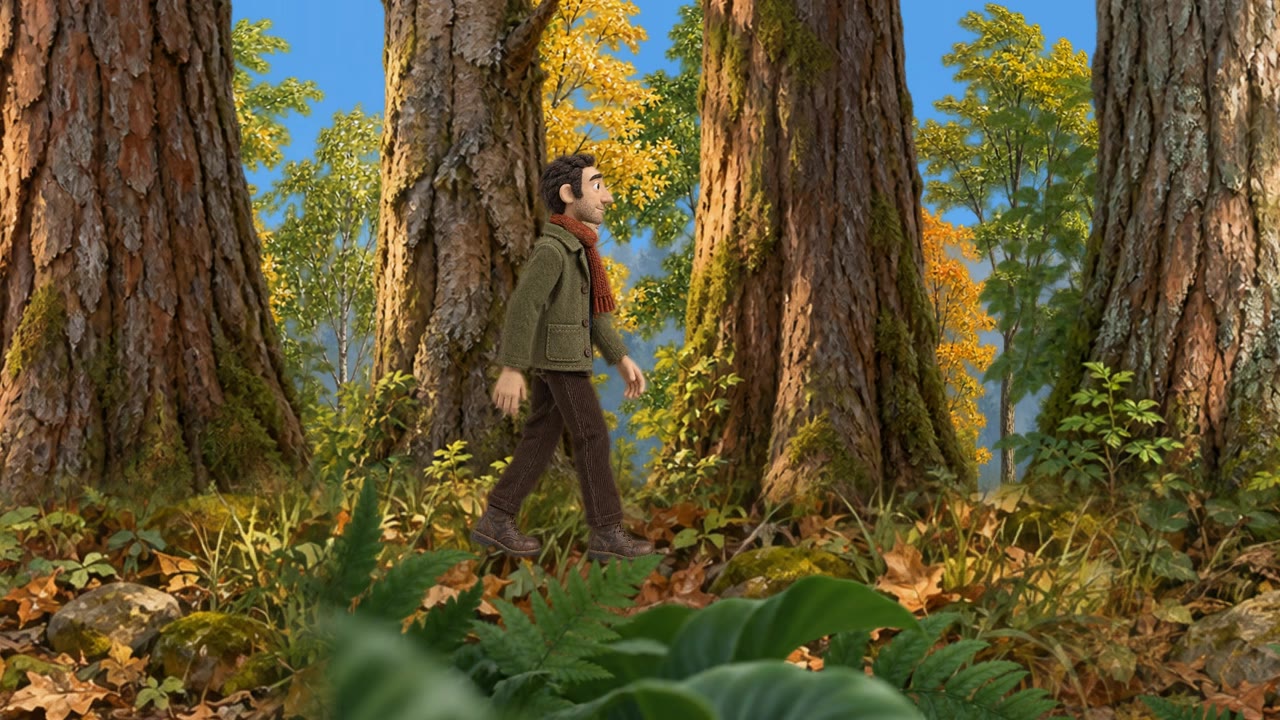
Traditional animation is built frame by frame: an artist poses the subject, draws a frame, moves it a little, draws again. AI-drawn video automates that craft. The model does not take a photo and add a filter. It writes a small canvas or JavaScript drawing program for every section — the background, the character, the camera move — and the program draws each output frame.
North Noir runs this job end to end. You describe the film (or start from a full story), the model your call the drawing work, and the frames land on an editable multi-track timeline next to narration, music and optional sound effects.
How the model draws in code
For each section of the film — usually a few seconds — the model plans what should be on screen: the setting, the subject, the motion. It then emits a drawing routine: shapes for the backdrop, a rigged figure for the subject, a timeline of poses. The routine runs once per frame at 30 fps, so the motion you see is drawn, not interpolated from a single still.
Because the frame is computed rather than baked into a video container, the film has no torn edges and no missing limbs between frames. If the model changes the drawing routine, every subsequent frame follows the edit — which is why you can change a section without flattening the whole take.
The review rounds
A first draft is rarely right. After rendering, the model looks at its own frames — the way an animator does on a lightbox — and checks for problems: a limb that vanishes, a colour that clashes, motion that skips. It then redraws. North Noir runs this loop up to three review rounds per section, so the delivered frames have already been proofread by the same model that drew them.
Picking the model (and bringing your key)
You are not locked to one drawing engine. Choose Claude, GPT, Gemini, Kimi, DeepSeek or North Noir’s default for the copy that plans the drawings — or connect your own API key on the BYOK page. Bring-your-own-key means the model calls for the drawing work are billed by your own provider, not by us; rendering the frames still uses North Noir tokens, and the bring-your-own-key (BYOK) guide shows who pays for each step. The choice is per project, so one film can use the default while you experiment with another on a key of your own.
Thirty frames per second
AI-drawn video here renders at 30 fps — a normal playback rate for the web and for social platforms. The frame rate is a property of the drawing program, not of a camera, so it stays consistent from the first section to the last regardless of how complex the scene is.
Sound around the frames
Narration and music sit on their own lanes next to the drawn sections — generate a voice from your script, drop a music bed under it, cut them together on the timeline. Sound effects for a drawn section are optional: either coded by the AI model alongside the drawings, or sourced from ElevenLabs. None of it is baked into the frames, so you can mute, swap or re-time a lane without touching the visuals.
Editing the film
The timeline is the product’s second half. Sections land as separate clips; cut and re-time them, reorder them, re-generate a section that went wrong, or describe a change with Adjust and let the model redraw just that section. You export when the cut is right — the project stays editable until you do.
- Describe the film A sentence or a full story — the model turns it into sections and drawings.
- Let it draw and review Every frame is rendered in code and checked by the model, up to three rounds.
- Edit on the timeline Cut, re-time, Adjust a section, add narration and music — then export.
Key takeaways
- AI-drawn video means every frame is drawn by an AI model in code — not a filter, not a baked clip.
- The model draws, looks at its own frames and redraws them — up to three review rounds per section.
- Pick the model (or bring your own key), render at 30 fps, add sound on separate lanes, edit on a real timeline.
Frequently asked questions
What is AI-drawn video?
North Noir describes it as: the AI model you choose draws every frame in code, reviews its own frames and redraws them — then you edit the film on a real timeline. No footage is involved.
Can I change a section after it is drawn?
Yes. Describe the change with Adjust and the AI redraws that section. You can also cut, re-time or reorder sections on the timeline without touching the drawings.
Is it a generator or an editor?
Both. One prompt generates a finished film with every frame drawn, and a multi-track timeline lets you cut, re-time and redraw sections until the export is right.
Which AI models can I use?
Claude, GPT, Gemini, Kimi, DeepSeek or North Noir’s default — or connect your own API key. The choice is per project.