Software for AI-Drawn Video, and Video Made by Code (2026)
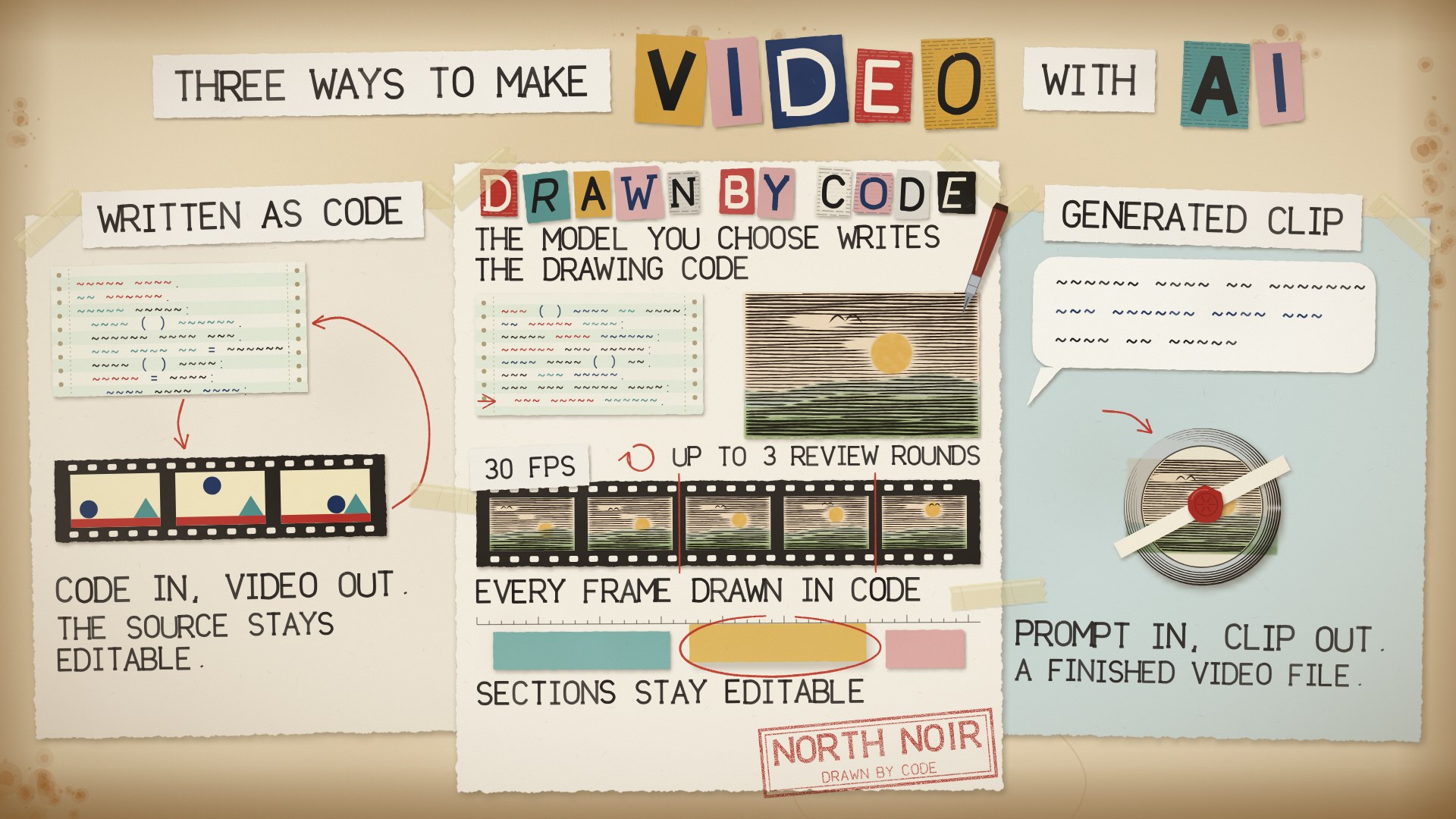
Yes, and it comes in two kinds. In one, an AI agent writes code and a renderer turns it into video. In the other, a generative model returns a finished clip, and some can start from your sketch. North Noir sits between them: the AI model you choose writes the drawing code, so every frame is rendered from a program and the film stays editable on a timeline.
By Syver-August, Developer, North Noir · · 9 min read
The short answer
Yes, there are two kinds of software for this: tools such as HyperFrames and Remotion, where an AI agent writes code that a renderer turns into video, and generative models such as Kling and Veo, which return a finished clip. North Noir sits between them: the AI model you choose writes a drawing program for each section, every frame is rendered from that code, and the film stays editable on a timeline. So for North Noir the two halves of your question are one thing: the video is AI-drawn because the AI writes the code that draws it.
Two kinds of software, and why the difference matters
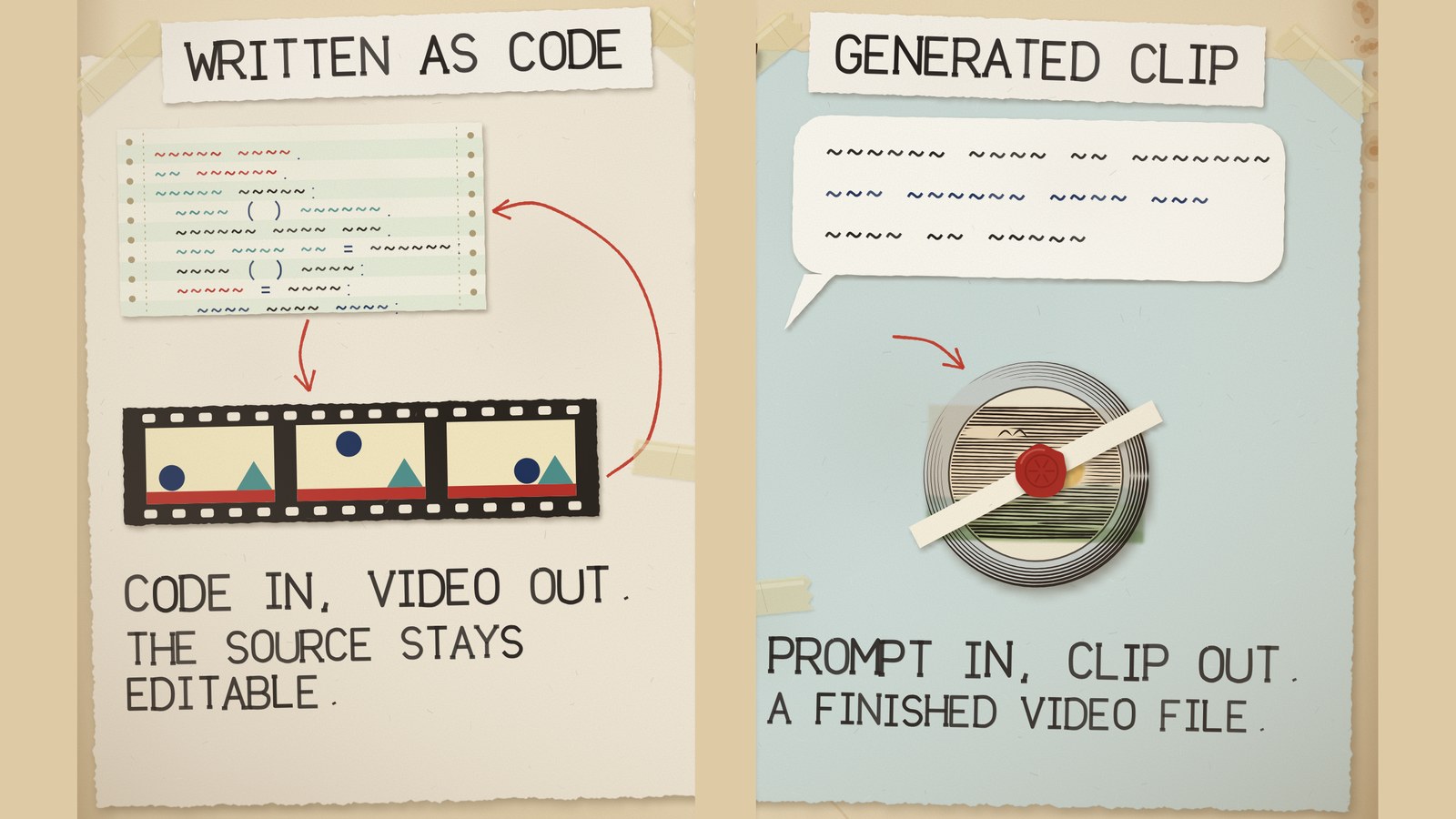
The split is about what the AI hands back. With video written as code, it hands back a program: a project you can open, change and render again. With generative video, it hands back pixels: a finished clip. Almost everything else follows from that.
Video written as code
- An AI agent or a person writes the program; a renderer turns it into video
- You get the video and the source that made it
- To change something, you change the code and render again
Generative video
- A model produces the pixels of a clip from a prompt, an image or, in some tools, a sketch
- You get a rendered video file
- Official pages describe generating a clip, not editable scene source (as of October 2026)
Video written as code: HyperFrames, Remotion and others
HyperFrames is HeyGen’s framework, released under Apache-2.0. An agent such as Claude Code, Codex or Cursor writes HTML and GSAP animation, and headless Chrome with FFmpeg renders it as video. HeyGen also offers a desktop app, HyperFrames Studio, for Mac and Linux as of October 2026; it asks for a HeyGen sign-in.
Remotion makes videos from React code and publishes official agent skills for coding agents. It is free for individuals and for companies of up to three people, with a company license above that. Remocn Studio is a free, MIT-licensed macOS app in which your own agent CLI builds a real Remotion project folder.
Motion Canvas is TypeScript animation with a live editor, and Manim Community Edition is Python for maths animation; both are MIT-licensed. In all five the video is a program you can open, change and render again. These are frameworks: the look depends on the code you or your agent write.
Generative models and the drawn look
Generative video models return a rendered video from a prompt, an image or, in a few tools, a sketch. Kling has an official sketch-to-video page, where a sketch or storyboard frame becomes the first frame of the clip. Higgsfield’s Sketch to Video takes a drawing and routes it to Kling, Seedance, Veo, Wan or Minimax.
General video models start from text or images. Veo 3.1, from Google DeepMind, makes video with audio. Runway Gen-4.5 and ByteDance’s Seedance are other video generators, and Seedance 2.0 takes text, image, audio and video as input. Agent Opus, from OpusClip, offers a hand-drawn video workflow that mixes models with animated graphics.
Some options are open. LTX, from Lightricks, publishes open weights under a community license. ToonCrafter (Apache-2.0) is 2024 research that interpolates between two cartoon frames, and AnimateDiff (Apache-2.0) is a Stable Diffusion motion module whose scribble encoder takes sketches.
All of these return a rendered video. Their official pages describe generating a clip, not editable scene source (as of October 2026). A generator suits you when you want the model to invent the look and the motion. Because every frame comes from the model, keeping one character and one line style identical across many shots is up to the model and whatever reference features the tool offers.
Whiteboard and cartoon-template tools
VideoScribe draws library images with an animated hand, and its projects stay editable. Doodly draws library doodles automatically. Golpo makes narrated whiteboard videos in two styles, Sketch and Canvas. Cartoon-template tools such as Animaker, Vyond and Steve AI build animated videos from templates and characters, starting from a prompt, a script or a document; Animaker has an Advanced Edit mode.
Where North Noir fits
North Noir makes AI-drawn video: it takes the method of the first kind and aims it at the look of the second. The AI model you choose (Claude, GPT, Gemini, Kimi, DeepSeek or North Noir’s default, with more than 30 providers through bring-your-own-key) writes a drawing program for each section. The program renders every frame at 30 fps, then the model looks at its own frames and redraws what is wrong, up to three rounds per section. AI-Drawn Video, Explained walks through it.
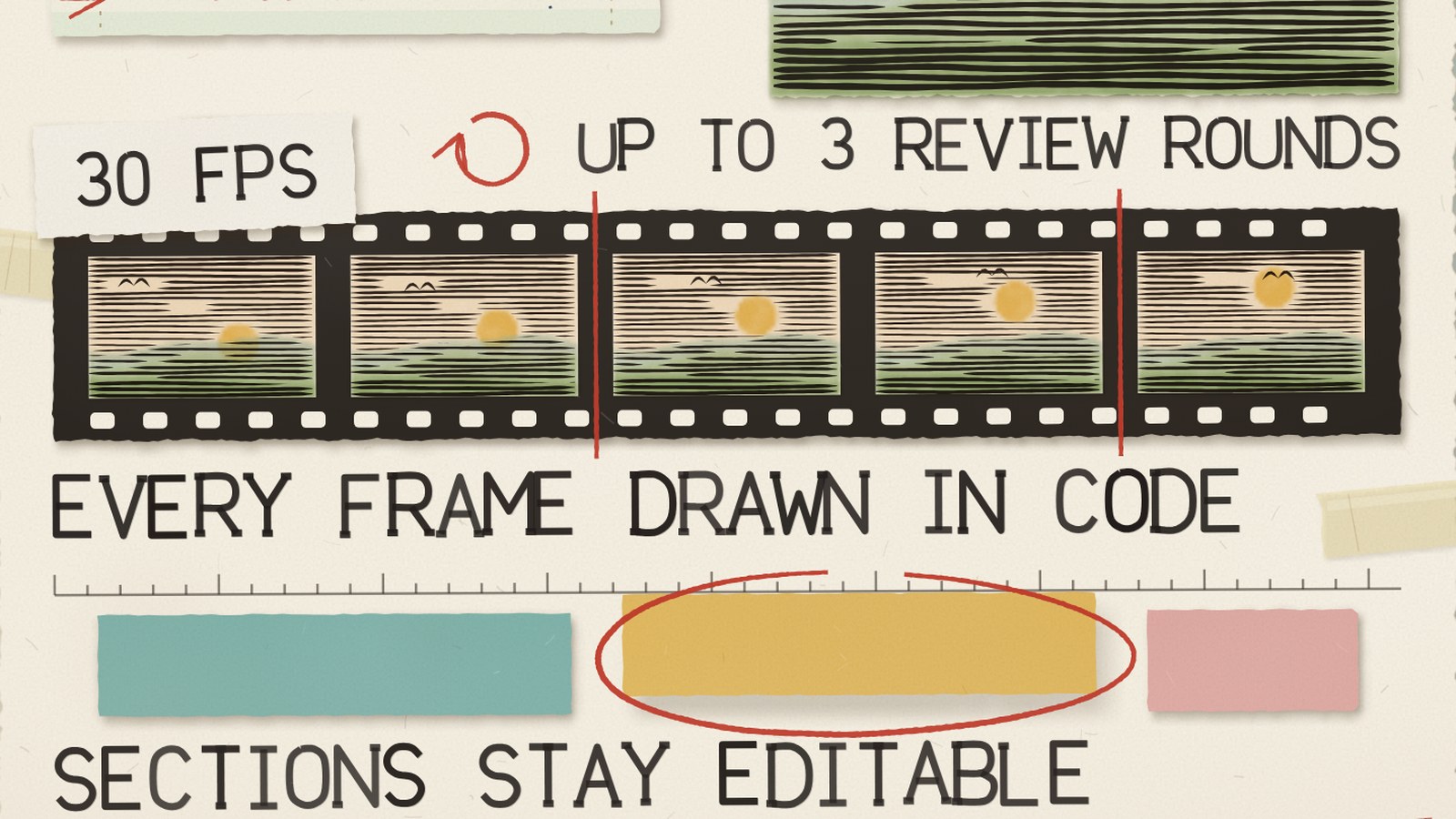
Compared with a generated clip, two things change. Within a section one program draws every frame, so characters and line style come from the same code throughout (code-drawn animation goes deeper). And the film stays editable: sections sit on a multi-track timeline with lanes for narration, music and sound effects, and Adjust redraws one section from a change you describe without redoing the film. Export is 1080p or 4K, and it works from Claude, Cursor and Claude Code through an MCP server. For clip generators in particular, see AI-drawn video vs text-to-video.
The limits are plain. North Noir is not for photoreal footage or real people, does not edit your own footage, and is not a text-to-video clip generator: AI-drawn video is all it makes. If you want the video’s source in your own repository, edited by hand with your own tools, a code tool such as Remotion or HyperFrames is built for that. There is a free plan with starter tokens, plus paid token plans (pricing); with bring-your-own-key the model calls run on your own provider account, and rendering still uses North Noir tokens.
The tools side by side
| Tool | How it makes the video | What you get back | Editable afterwards | Good for |
|---|---|---|---|---|
| HyperFrames | An agent writes HTML and GSAP; Chrome and FFmpeg render it | A video and the HTML source | Yes: edit the source, render again | Agent-written video from web code |
| Remotion | React code, written by you or an agent | A video and the React project | Yes: edit the code, render again | Programmatic video |
| Remocn Studio | Your agent CLI builds a Remotion project in a macOS app | A video and a Remotion project folder | Yes: it is a Remotion project | Agent-built Remotion projects |
| Motion Canvas, Manim | You write TypeScript or Python | A video and the source | Yes: it is code | Animation with a live editor; maths animation |
| Kling, Higgsfield | A model generates pixels from a sketch or drawing | A rendered video clip | Not described as editable source | Turning a drawing into a clip |
| Runway, Veo, Seedance | A model generates pixels from text, images or other inputs | A rendered video clip | Not described as editable source | Clips from prompts; Veo 3.1 adds audio |
| Golpo, VideoScribe, Doodly | Images are drawn on screen, whiteboard style | A whiteboard-style video | VideoScribe projects stay editable | Classic whiteboard explainers |
| Animaker, Vyond, Steve AI | Templates and characters, from a prompt, script or document | An animated cartoon video | Animaker has Advanced Edit | Template-based cartoon videos |
| North Noir | The model you choose writes a drawing program per section; every frame renders from it | A drawn film on a multi-track timeline | Yes: cut, re-time, redraw a section with Adjust | Drawn animation you can still edit |
How to choose
- You want the source of your video in your own repository: a code tool such as Remotion or HyperFrames.
- You have a sketch and want a short clip from it: a sketch-to-video tool such as Kling or Higgsfield.
- You want a classic whiteboard or cartoon explainer: VideoScribe, Doodly, Golpo, Animaker or Vyond.
- You want a whole drawn film you can still cut, re-time and redraw by section, without writing code: North Noir.
- You want photoreal footage, real people or edits to your own footage: not North Noir; see the comparison with AI video editors.
Key takeaways
- There are two kinds of software: tools such as HyperFrames and Remotion that render code an AI agent writes, and generators such as Kling and Veo that return a finished clip.
- Video written as code stays a project you can change and render again; the generators’ own pages describe a clip, not editable scene source (as of October 2026).
- North Noir sits between them: the AI model you choose writes a drawing program for each section, every frame is rendered from it, and the film stays editable on a timeline.
- North Noir makes AI-drawn video only: it is not for photoreal footage, real people or your own footage, and it is not a text-to-video generator.
Frequently asked questions
Is there software that makes AI-drawn videos?
Yes. North Noir makes AI-drawn video: the AI model you choose writes a drawing program for each section, and every frame is rendered from that code. Sketch-to-video tools such as Kling turn a drawing into a clip, and whiteboard tools such as VideoScribe draw library images with an animated hand.
Is there software that makes videos from code with AI?
Yes. HyperFrames, Remotion and Remocn Studio work with coding agents that write the code, and Motion Canvas and Manim are code libraries for animation. North Noir has an AI model write code too: a drawing program for each section of a drawn film.
What is the difference between AI-drawn video and text-to-video?
Text-to-video generates the pixels of a finished clip from your prompt. In AI-drawn video the model writes a drawing program and every frame is rendered from that code, so each section can be cut, re-timed or redrawn. North Noir makes the second kind.
Can I edit an AI-drawn video afterwards?
In North Noir, yes. Sections sit on a multi-track timeline where you cut, trim, split and re-time, narration, music and sound effects have their own lanes, and Adjust redraws one section from a change you describe.
Can Claude Code, Cursor or Codex make videos?
Through tools they can drive, yes. HyperFrames works with Claude Code, Codex and Cursor, and Remotion publishes official agent skills for coding agents. North Noir works from Claude, Cursor and Claude Code through its MCP server.
Which tool should I use for a hand-drawn look?
It depends on what you start with. From a sketch, try a sketch-to-video tool such as Kling or Higgsfield; for a classic whiteboard explainer, VideoScribe, Doodly or Golpo; for a whole film drawn by an AI model that you can still cut and redraw by section, North Noir.
Is there free software for AI-drawn video or video made by code?
In several cases, as of October 2026. The HyperFrames framework is Apache-2.0, Motion Canvas and Manim are MIT, Remocn Studio is free and MIT, and Remotion is free for individuals and companies of up to three people. North Noir has a free plan with starter tokens.