Ruvil 2.1 vs Ruvil 7.3: Which AI-Drawn Video Model Should You Use?
North Noir has one AI-drawn video engine and two models inside it. Ruvil 2.1 is the default: the AI model writes a .js drawing program per section and every frame renders from it. Ruvil 7.3 is the explicit opt-in: each frame is generated as its own 2D illustration image. Both make AI-drawn video on the same timeline — the difference is how the frames are made, and therefore how you edit them afterwards.
By Syver-August, Developer, North Noir · · 5 min read
Ruvil 2.1 — drawn in code (the default)
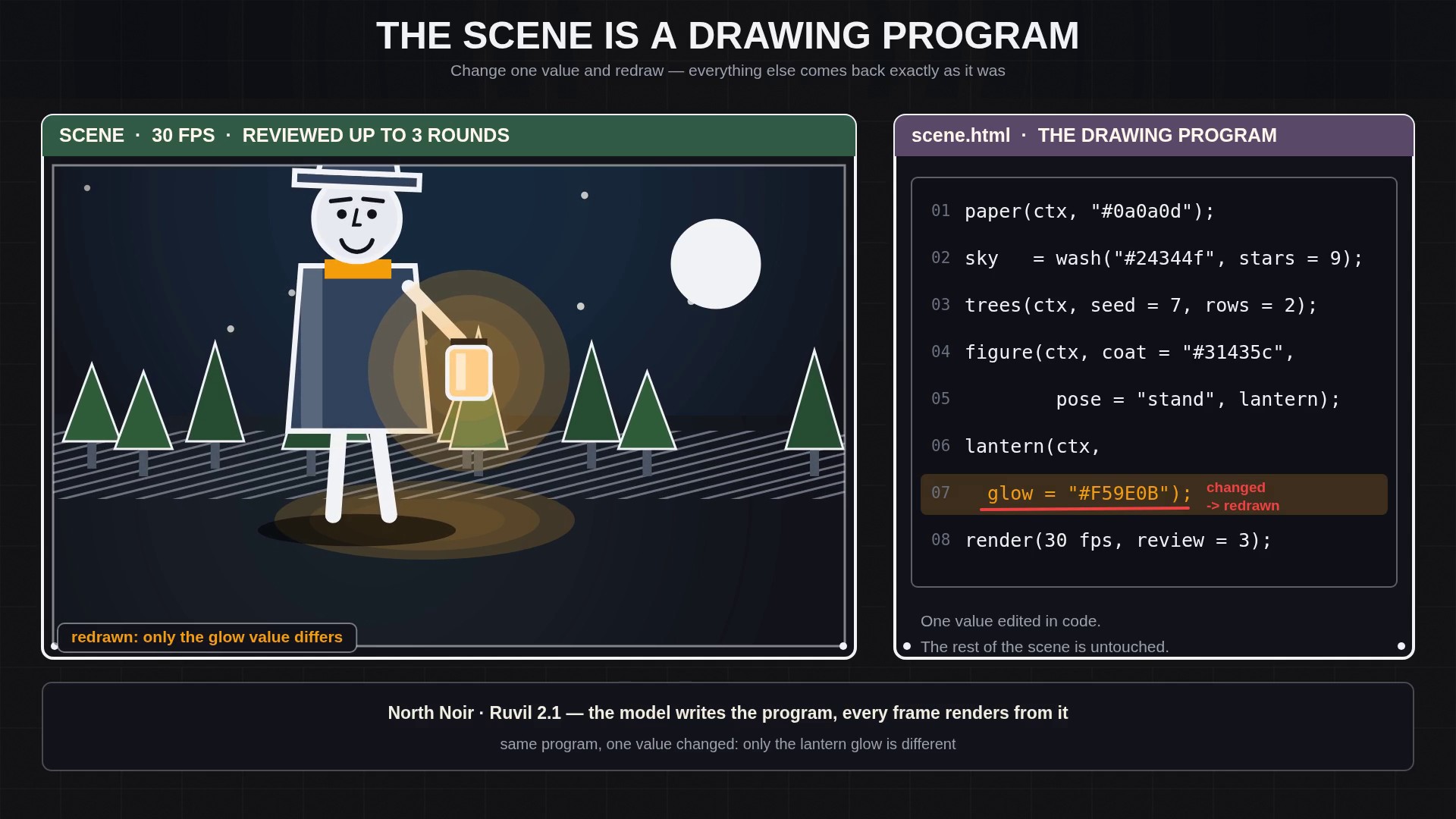
- One .js drawing program per section; every frame renders from it at 30 fps
- The model inspects its own frames across up to 3 review rounds
- Adjust edits a detail in code; the section re-renders with the rest intact
Ruvil 7.3 — images as frames (selectable)
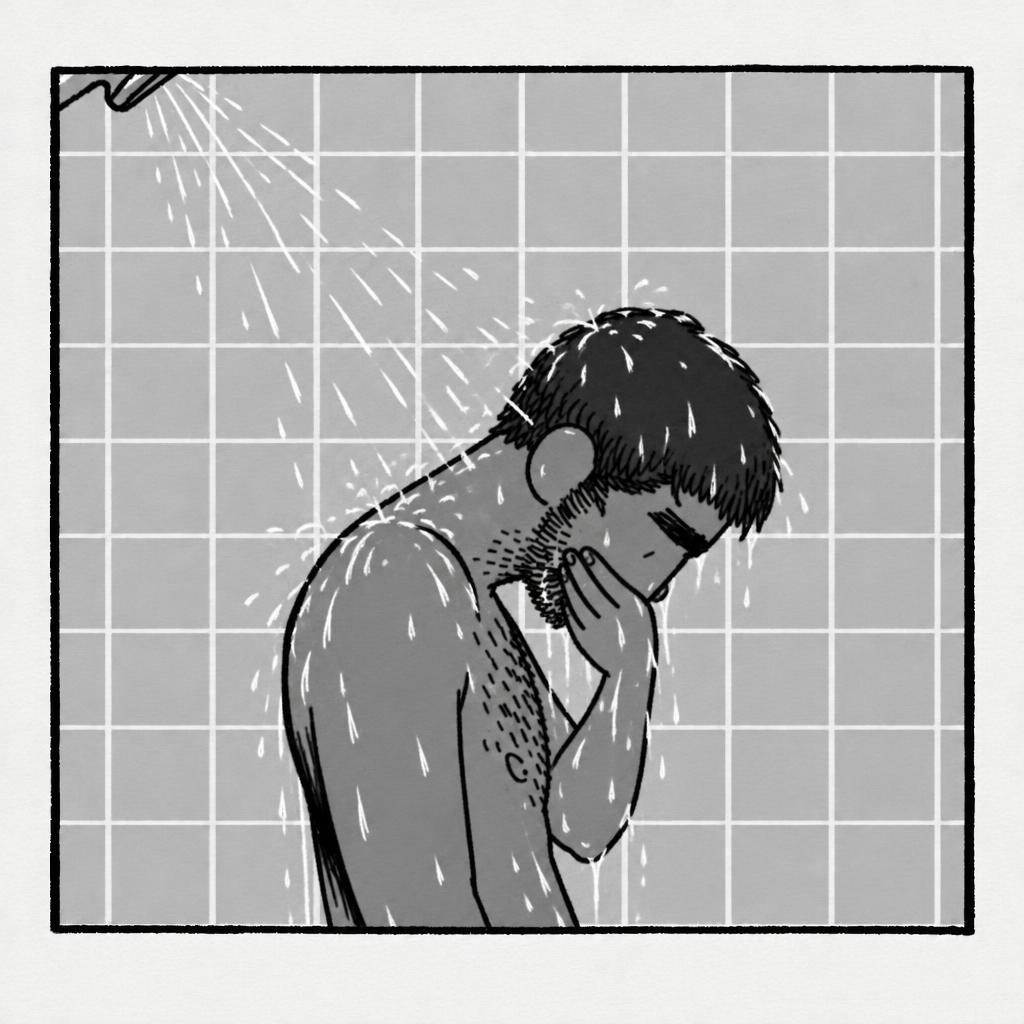
- Each frame generated as its own 2D illustration image, at a 6 fps cadence
- Classical hand-drawn timing: key poses, anticipation, ease-in and out, secondary motion
- Every frame saved; one frame can be re-rolled in place without re-rendering the take
The two models side by side
| What you compare | Ruvil 2.1 (default) | Ruvil 7.3 (selectable) |
|---|---|---|
| How frames are made | The AI writes a .js canvas drawing program per section; the program draws every frame | Each frame is generated as its own 2D illustration image (images as frames) |
| Cadence | 30 fps | 6 fps |
| Editing model | Adjust: describe the change, the drawing code is edited and the section renders again | Per-frame re-roll: inspect, download or re-roll one saved frame in place |
| Look and texture | Clean code-driven marks from hand-drawn style kits; the same routines draw every frame | A finished drawing per frame, with the small variations of hand-made frames |
| Who checks the frames | The model looks at its own frames and redraws what is wrong, up to 3 review rounds | You do: the frame strip shows every frame, and any frame can be redrawn on request |
| Cost shape | A one-time drawing bake per section, then tokens for the rendered seconds | Tokens per rendered second (250,000 tokens/s published on the API docs), no one-time bake charge |
| Speed | Frames are computed in code once the program is written | One image generation per frame — a section is as many image calls as frames, plus any re-rolls you ask for |
| Reference art | The look comes from the drawing program and the style you pick | Every generated frame anchors to your reference art when you provide one |
| Sound | Sound effects per section (off by default) plus narration and music lanes | The same: sound effects per section, and the same narration and music lanes |
| Aspect ratios | 16:9, 9:16, 1:1, 4:5, 21:9, 4:3 | 16:9, 9:16, 1:1, 4:5, 21:9, 4:3 |
Pick Ruvil 2.1 when…
- You want a general AI-drawn video: a story, a scene, a character acting a short beat.
- You want clean, code-driven motion and characters that stay on-model across the section.
- You expect small creative changes and want them cheap — Adjust edits one detail and keeps the rest.
- You want deterministic re-runs: the same program renders the same frames again.
Pick Ruvil 7.3 when…
- You want the texture of individually drawn frames, made one drawing at a time.
- You want per-frame control: inspect and download every frame, and re-roll one frame in place.
- Your fix is a single drawing — a pose, a hand — and you do not want to re-render the take to change it.
- You have reference art and want every frame anchored to it.
Both ride the same Studio, timeline and API
The two models are not two products. They are two ways of drawing inside one engine, and everything around them is shared: the editable timeline, narration, music and sound effects, and one export when the cut is right. In the Studio the choice is per project — Ruvil 2.1 is what the Studio starts with, Ruvil 7.3 is what you select. On the API the same request shape carries either: model: "ruvil_2_1" (or no model at all, since it is the default) for code-drawn sections, model: "ruvil_7_3" or model: "latest" for images as frames.
Both are included in one NorthNoir plan and one API key — there is no separate subscription for the second model. On the free plan the model runs on your own API key (what your key pays for); rendering the frames is billed in tokens either way.
For the mechanics of each, read Ruvil 2.1 Explained and Ruvil 7.3 Explained; for the category as a whole, AI-Drawn Video, Explained.
Key takeaways
- Ruvil 2.1 is the default: one .js drawing program per section, frames at 30 fps, up to 3 review rounds, and Adjust for edits made in code.
- Ruvil 7.3 is the explicit opt-in: each frame generated as its own image with classical hand-drawn timing, and single-frame re-rolls from the frame strip.
- Both ride the same Studio, timeline and API — model: "ruvil_2_1" is the default, "ruvil_7_3" or "latest" selects the second — and both are in one plan and one API key.
- Choose by editing model: Adjust-in-code for clean, deterministic sections; per-frame re-rolls when the fix is one drawing.
Frequently asked questions
What is the difference between Ruvil 2.1 and Ruvil 7.3?
Ruvil 2.1 is the default AI-drawn video model: the AI writes a .js drawing program for each section and every frame renders from it at 30 fps, with changes made in code through Adjust. Ruvil 7.3 is the selectable second model: each frame is generated as its own 2D illustration image, and any single frame can be re-rolled in place.
Which model is the default?
Ruvil 2.1. It is what the Studio starts with and what an API request uses when no model is named. Ruvil 7.3 is explicitly selected — with model: "ruvil_7_3" or model: "latest" on the API, or by picking it in the Studio.
Can I use both models in one NorthNoir account?
Yes. Both are included in one plan and one API key — there is no separate subscription for Ruvil 7.3. You pick the model per project in the Studio, or per request on the API.
Which model is better for fixing one detail?
It depends on the detail. A change to what happens in the scene — a warmer glow, a later hand movement — is Ruvil 2.1 territory: Adjust edits the drawing code and keeps the rest. A single drawing that came out wrong is Ruvil 7.3 territory: re-roll that frame in place.
Keep reading
- Why We Draw Every Frame: The Problem With Text-to-Video, Image-to-Video, and Reference-to-Video
- Ruvil 2.1 Explained: AI-Drawn Video With a .js Drawing Engine
- Ruvil 7.3 Explained: Hand-Drawn Frame-by-Frame Animation With AI
- AI-Drawn Video, Explained
- Software for AI-Drawn Video, and Video Made by Code (2026)
- An AI Video Generator With Your Own API Key (BYOK)
- Sound Effects Models Ranked (2026): Prices, Tests and What We Use
- Background Music Models Ranked (2026): Vocals, Instrumental and Prices
- One Sentence, Any AI Harness, Any Model: AI-Drawn Video With the North Noir CLI